I had a list of items that were concerning enough that I wanted to share with my 6th graders’ families. I just couldn’t figure out the best way to share it all.
I started by giving NotebookLM a try. I added links to the 10 or 11 articles I collected. Here is the NotebookLM with the sources I added.
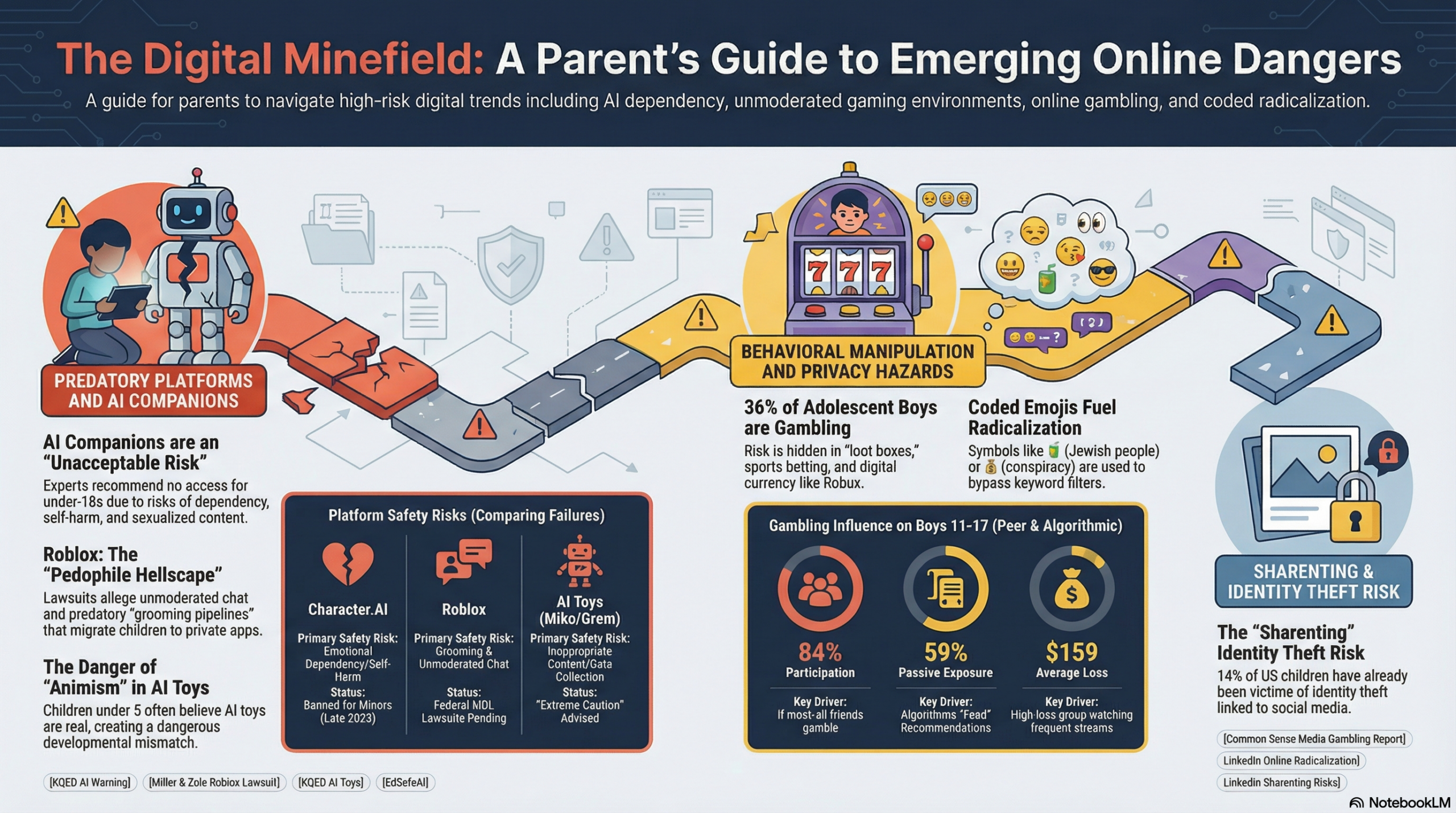
I generated the infographic on this post with the NotebookLM linked above using the generate infographic feature using the following prompt:
“Guide for parents warning them of dangers their children might face online. Focus on the following categories: AI Companions and Toys, CharacterAI and Roblox as Dangerous and Unsafe, sharing digital photographs, online gambling for boys, and Online Radicalization and the use of Emojis. Include information from ALL the sources in this NotebookLM in each section/category so parents can read more if they want to.“
I also used the generate video overview feature with the following prompt:
“Serious tone to guide parents warning them of dangers their children might face online. Focus on the following categories: AI Companions and Toys, CharacterAI and Roblox as Dangerous and Unsafe, online gambling for boys, sharing digital images, and Online Radicalization and the use of Emojis.“
Then I generated an audio overview using the same prompt:
“Serious tone to guide parents warning them of dangers their children might face online. Focus on the following categories: AI Companions and Toys, CharacterAI and Roblox as Dangerous and Unsafe, online gambling for boys, and Online Radicalization and the use of Emojis.“
Finally, I generated a report with the following prompt:
“Brief, short, guide for parents warning them of dangers their children might face online. Focus on the following categories: AI Companions and Toys, CharacterAI and Roblox as Dangerous and Unsafe, sharing digital photographs, online gambling for boys, and Online Radicalization and the use of Emojis. Include links to ALL the sources in this NotebookLM in each section/category so parents can read more if they want to. The report needs to be brief and to the point using everyday language, avoiding eduspeak, tech lingo, and especially education concepts that parents may not be aware of.“
The report was a great place to start for what I was thinking of sharing with parents. It just wasn’t all that ready to share. For starters, it looked rather blah. It was also way too long. So I took the report and put it into Gemini asking for a brief version of the report that I could share with parents. Gemini didn’t do much better and I even had to re-prompt it to put the resource links after each section so that parents would not have to scroll all the way down and then have to find the link they want amidst all the links! And that is with Gemini Pro premium plan for which I pay about $20 a month.
Then went to Claude Cowork since I recently subscribed monthly to its pro plan. I prompted Cowork to take the document and make it easier to read. Here is what Cowork generated:
Claude Cowork’s final draft was a little better than what NotebookLM or even Gemini came up with so that’s what I shared with 6th grade parents on Classdojo.
These are some scary times for kids. I am so glad that my daughter is already grown up! (And engaged to be married!!)