With School AI’s upgrade to 2.0 way into the beta stage, I tried it along with MagicSchool AI to see how they perform in Math.
I have been creating Magic Student rooms for each Math unit I teach to provide students an optional support if they are feeling stuck and either I’m not available or the way I taught it still isn’t clicking. We have the Amplify Desmos 6th grade Math curriculum, so I downloaded a pdf file of the first unit on area and surface area to train the Magic School Student room bots.
Here is the Magic Student room:
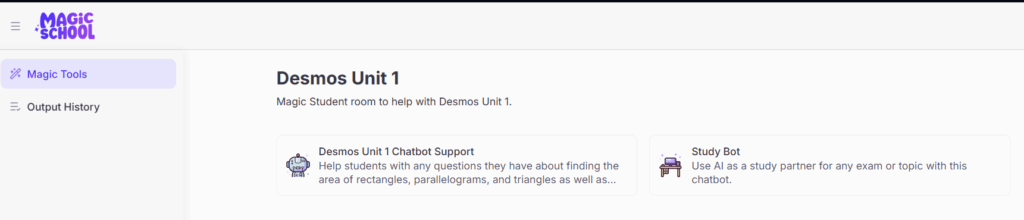
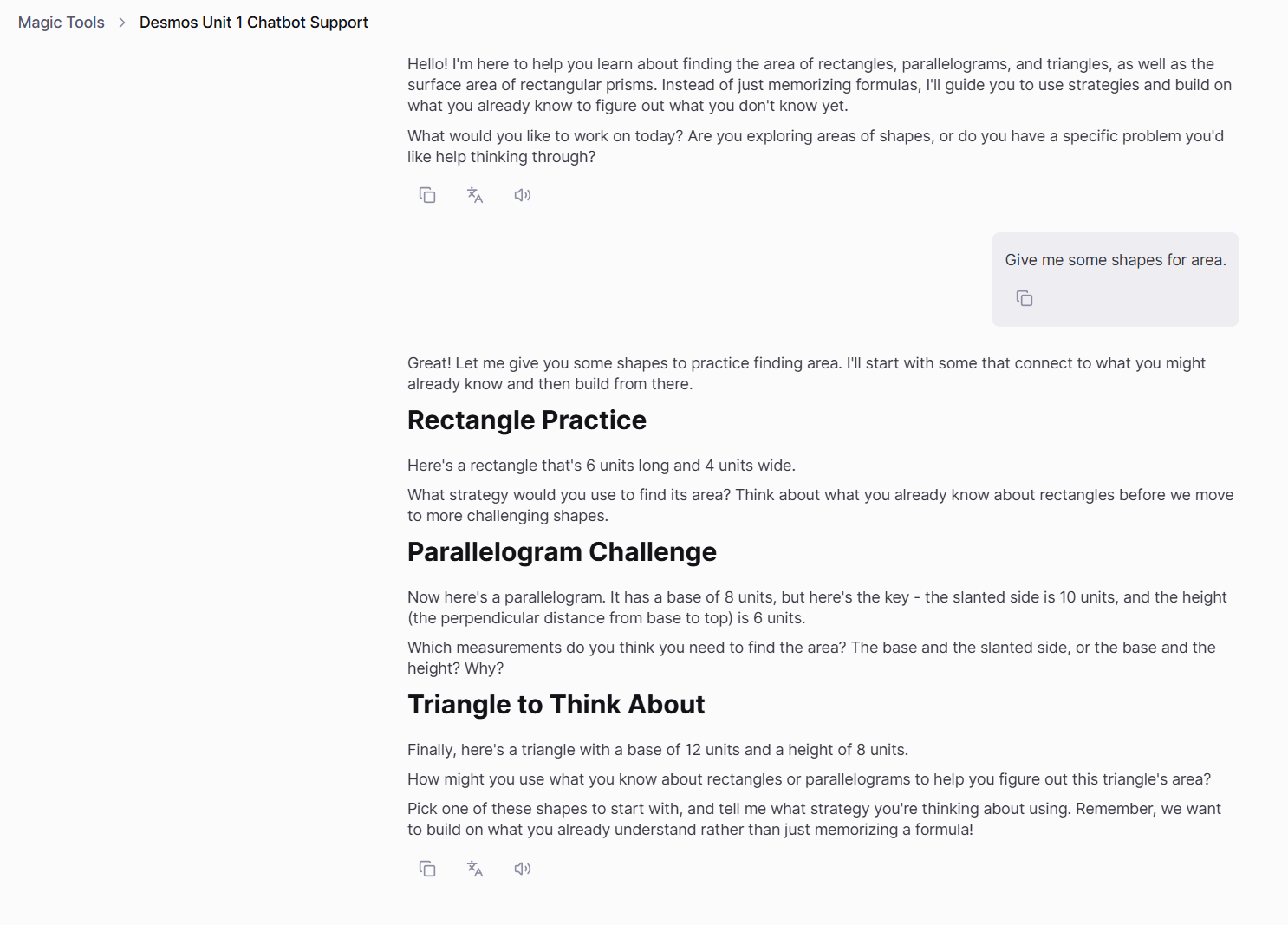
I made a support bot for students who have questions or need topics explained differently and a study bot for those who just need more practice. Here is a typical screen when asking for practice questions on the support bot because you can ask for practice questions on the support bot as well as the study bot:
And here is the study bot when I asked it for examples:
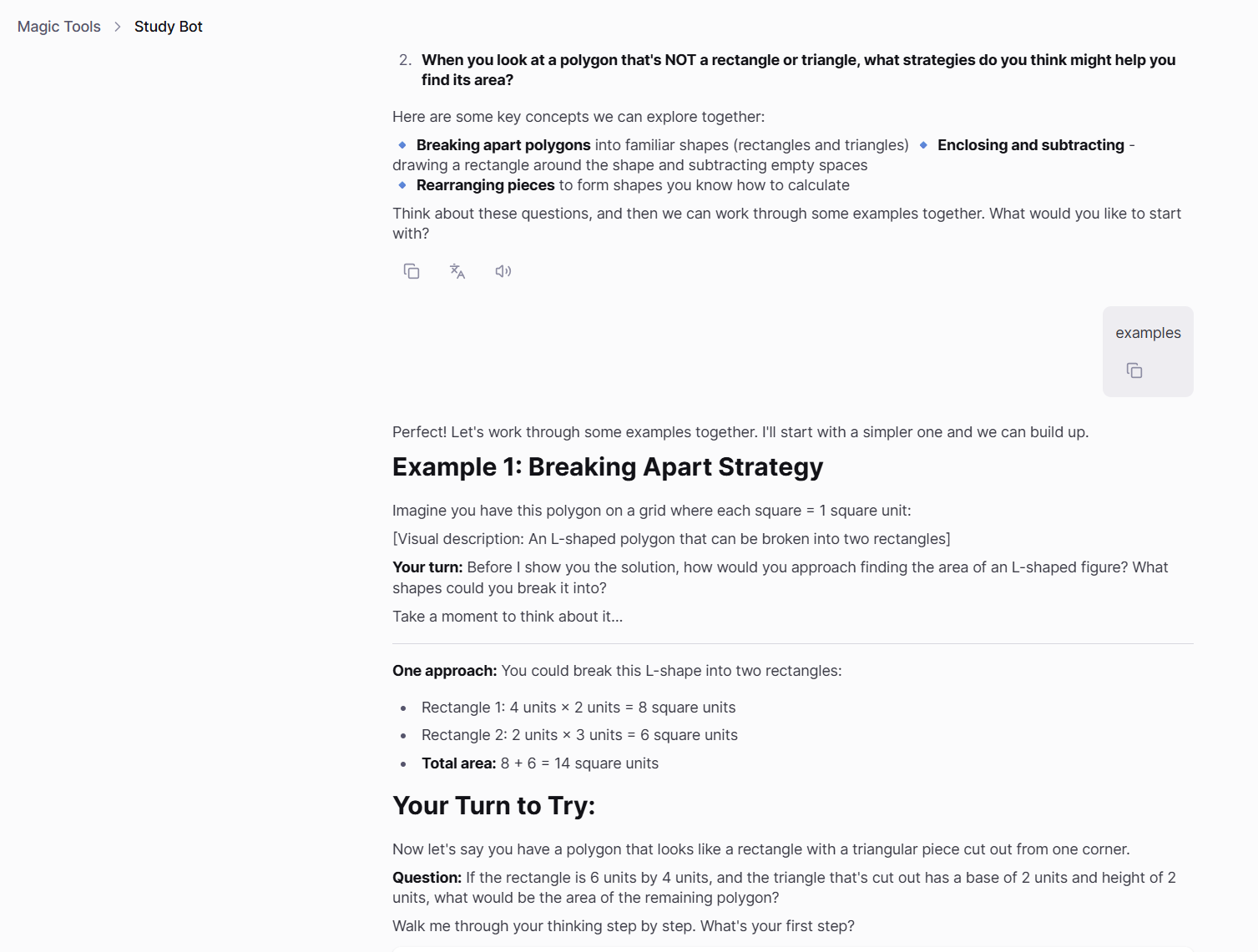
I asked the study bot for polygons that weren’t rectangles and to provide visuals and even though it did I was disappointed that I even had to ask. I expected having visuals at least would be the default, especially for area problems. Here’s what it provided me:
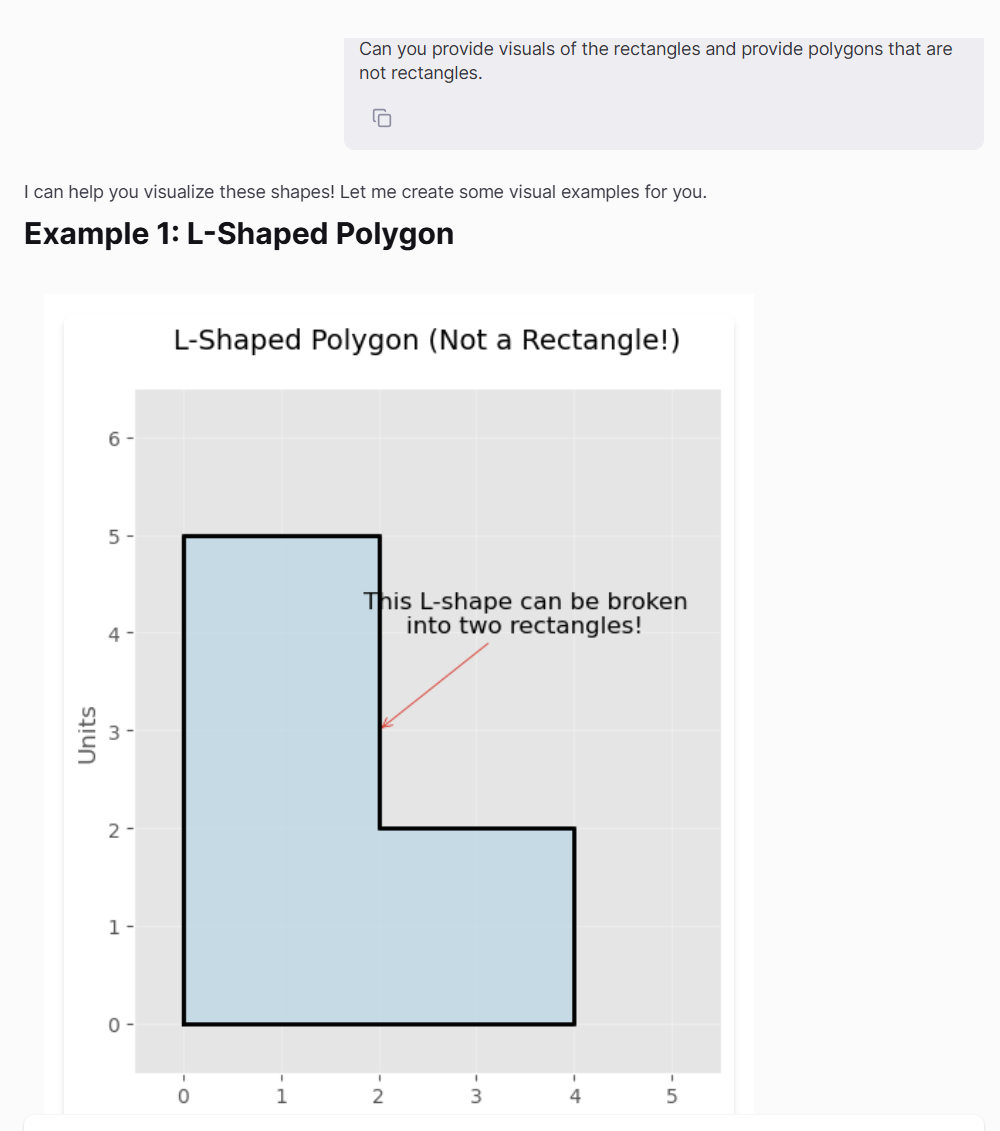

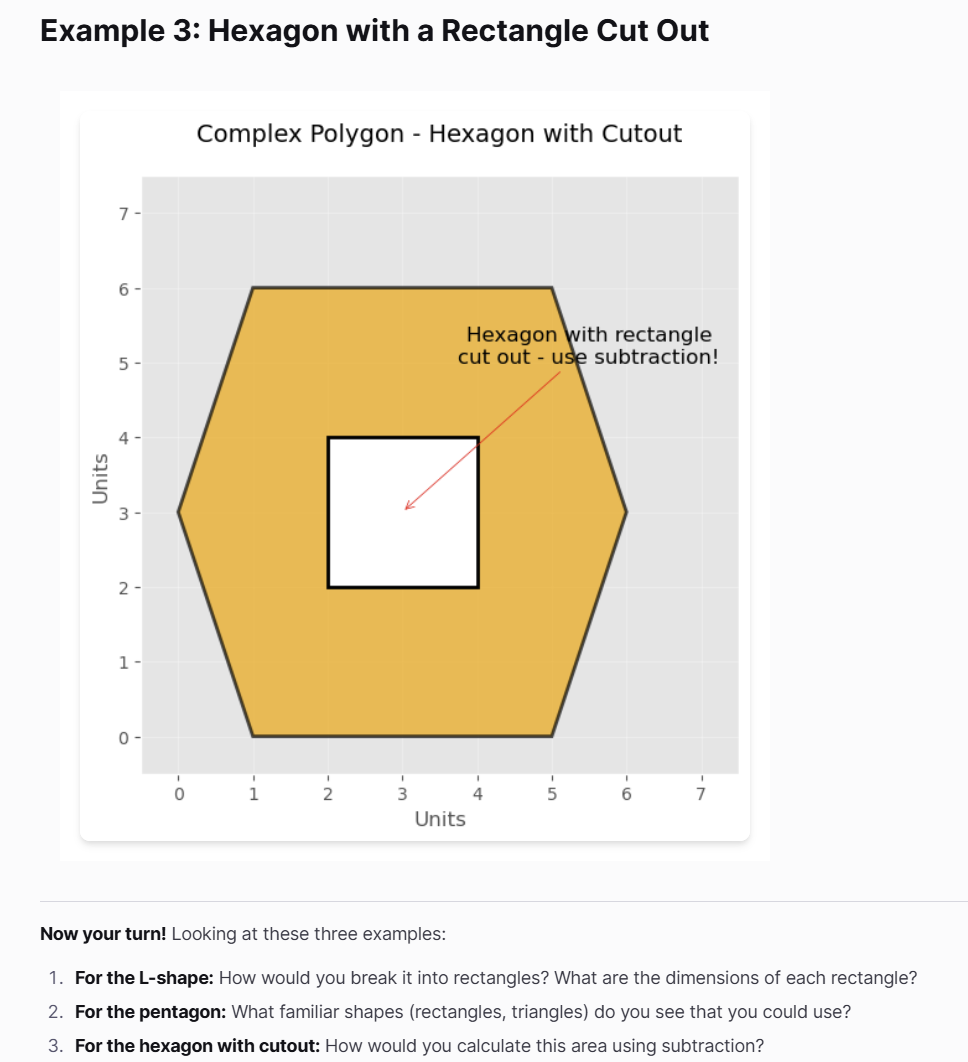
The examples were fine, it just would have been nice for the bot to start with the non-rectangular polygons and to always provide visuals.
Here are insights of my students using the room:
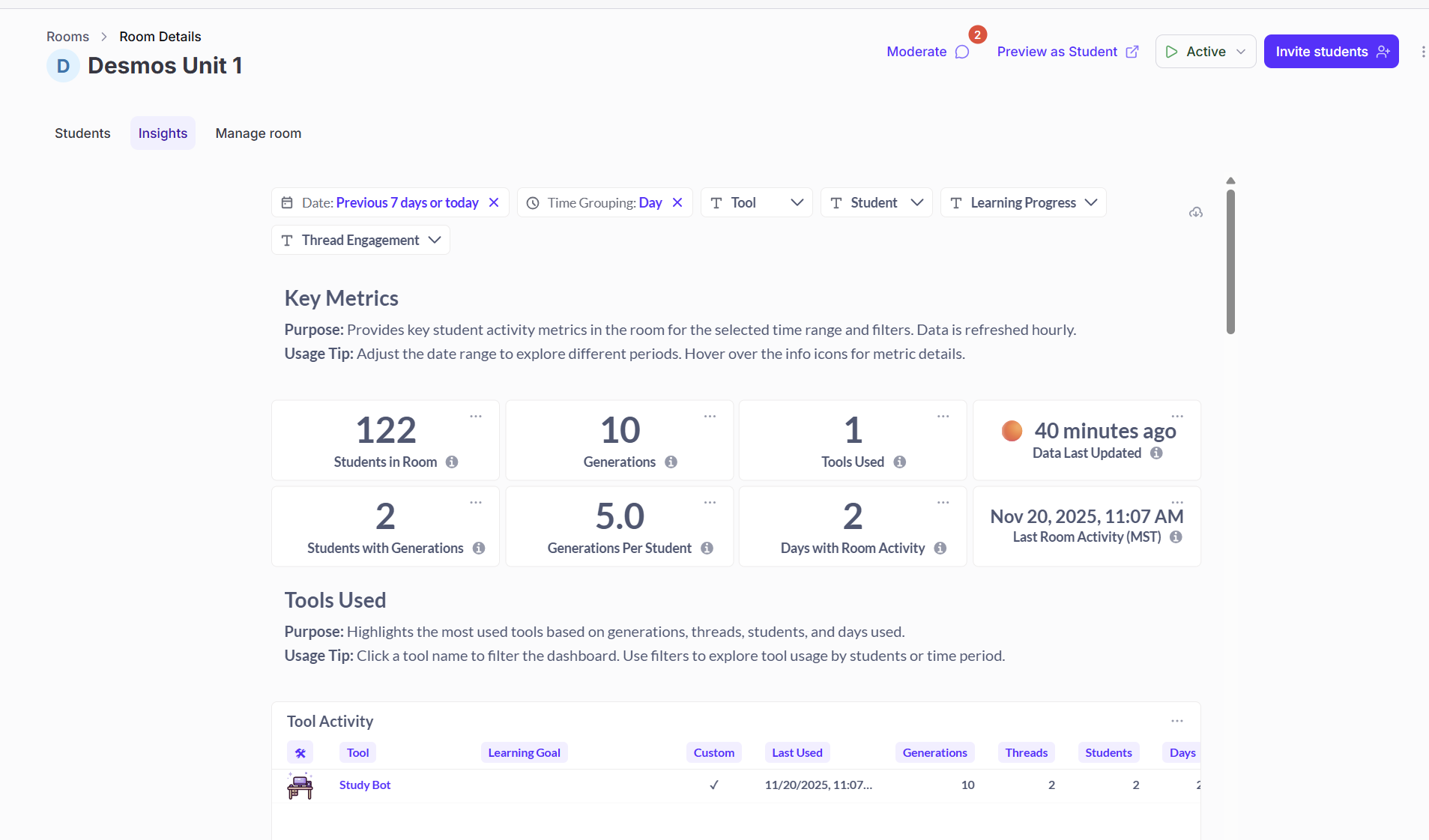
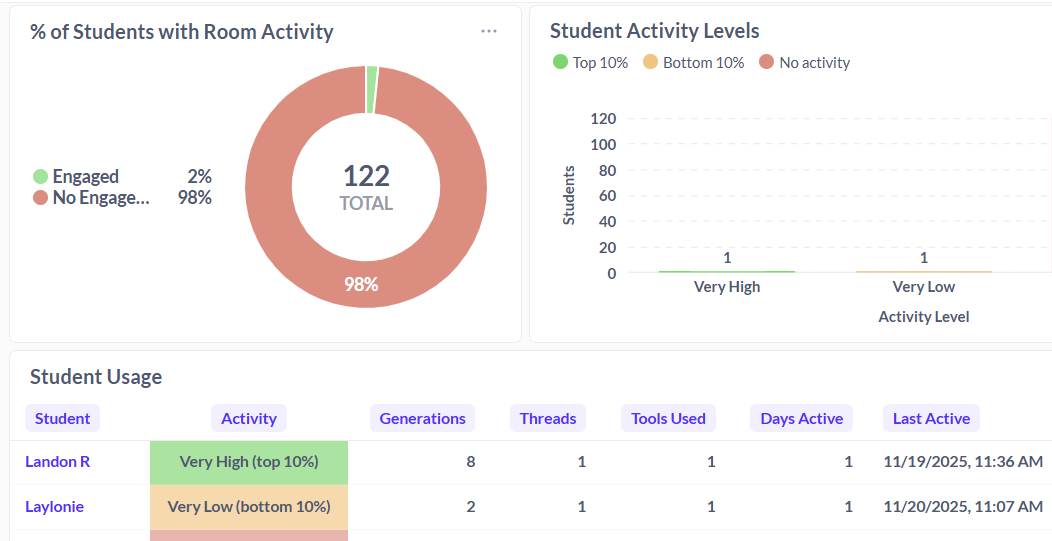
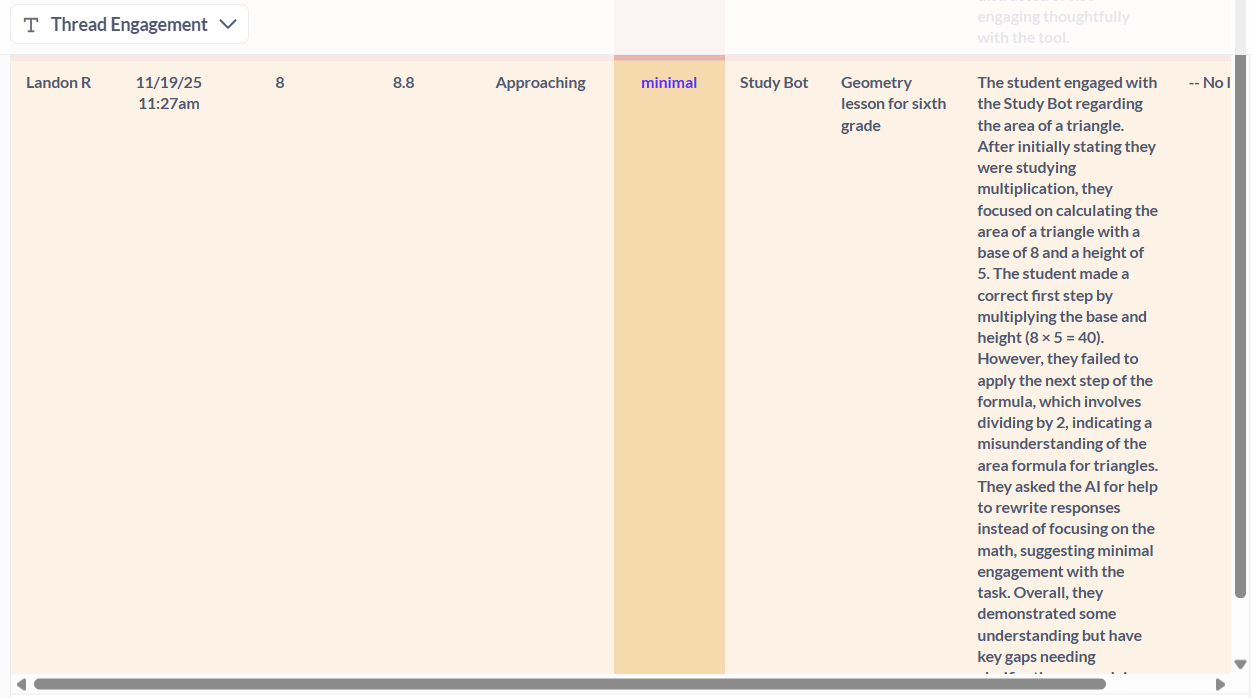
For me, the MagicSchool insights have always been clunky. I’m not sure how to navigate the insights very well and in the above images I only see two students even though many more accessed the bots. I also have always found it difficult to find individual student chat histories to see their conversations. It takes me a few tries each time, and I can’t seem to remember how to do it! This is one feature that I have always preferred in School AI.
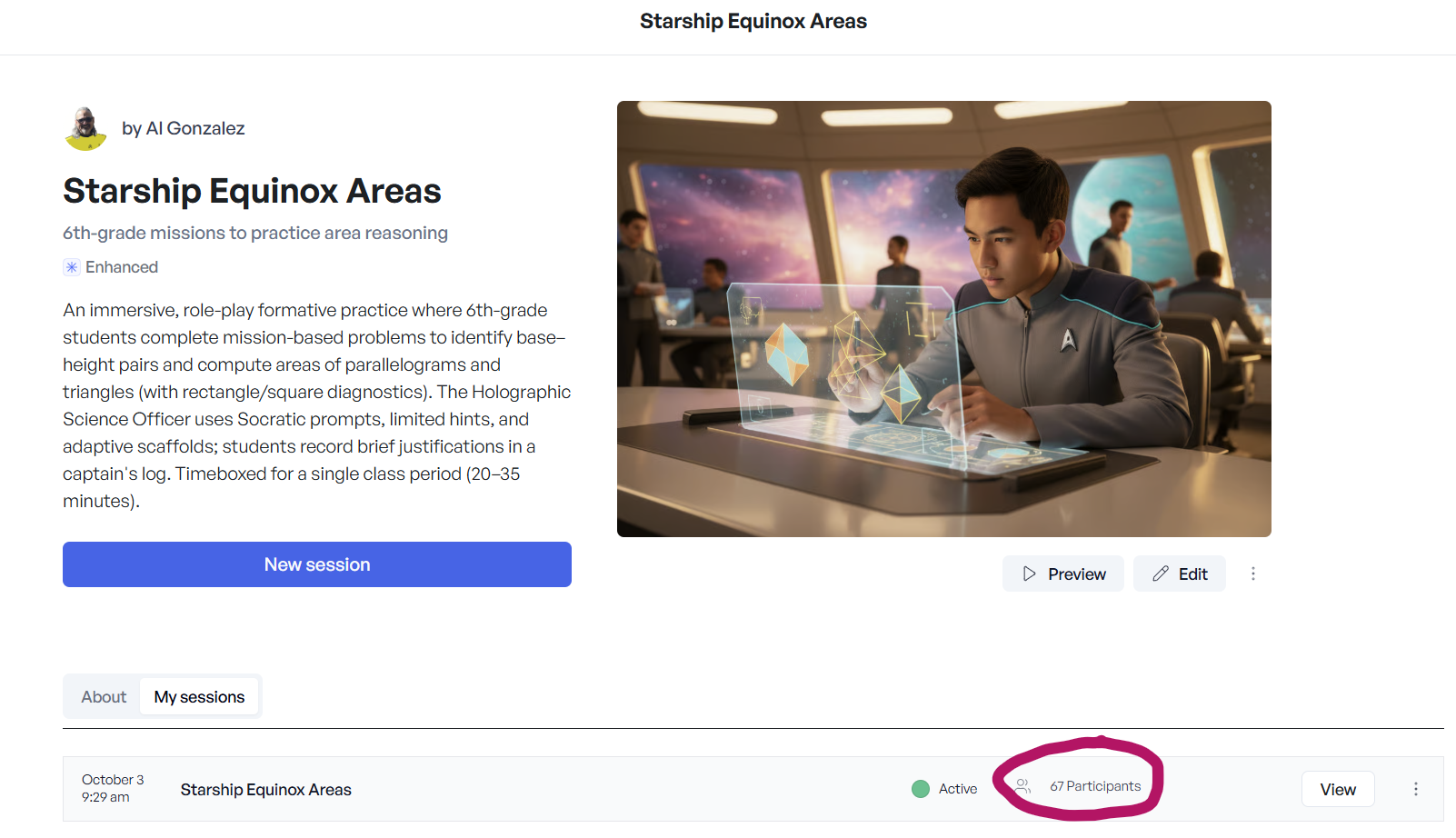
For School AI I started with their AI, Dot, to make a Space, what School AI calls the chatbot experiences for students. Dot starts off by asking what I wanted and continues to prompt me to get more and more details. I also uploaded the Desmos Unit 1 pdf in addition to choosing the correct CCSS-Math standards for the unit.
Here is the School AI Space information.
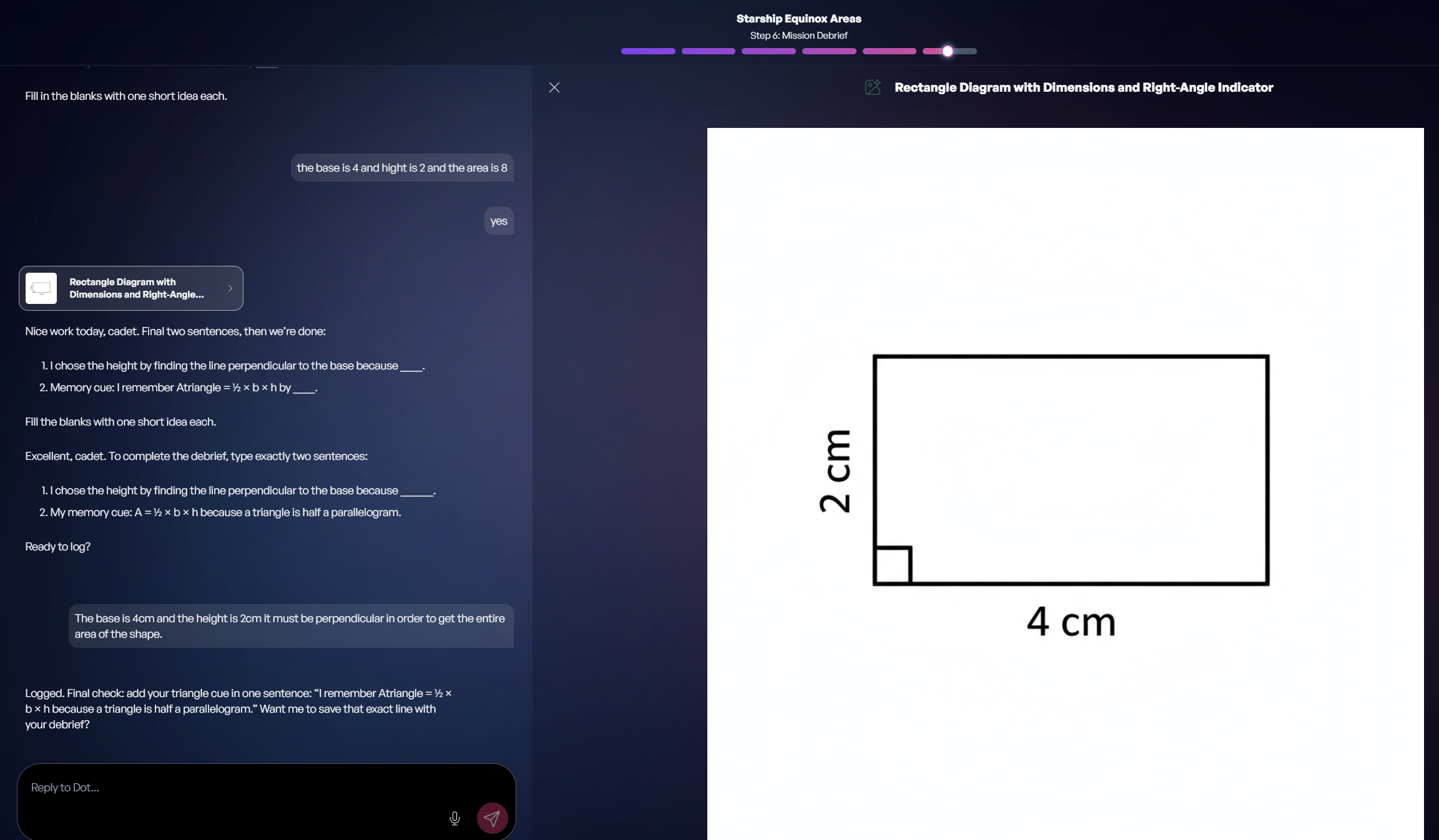
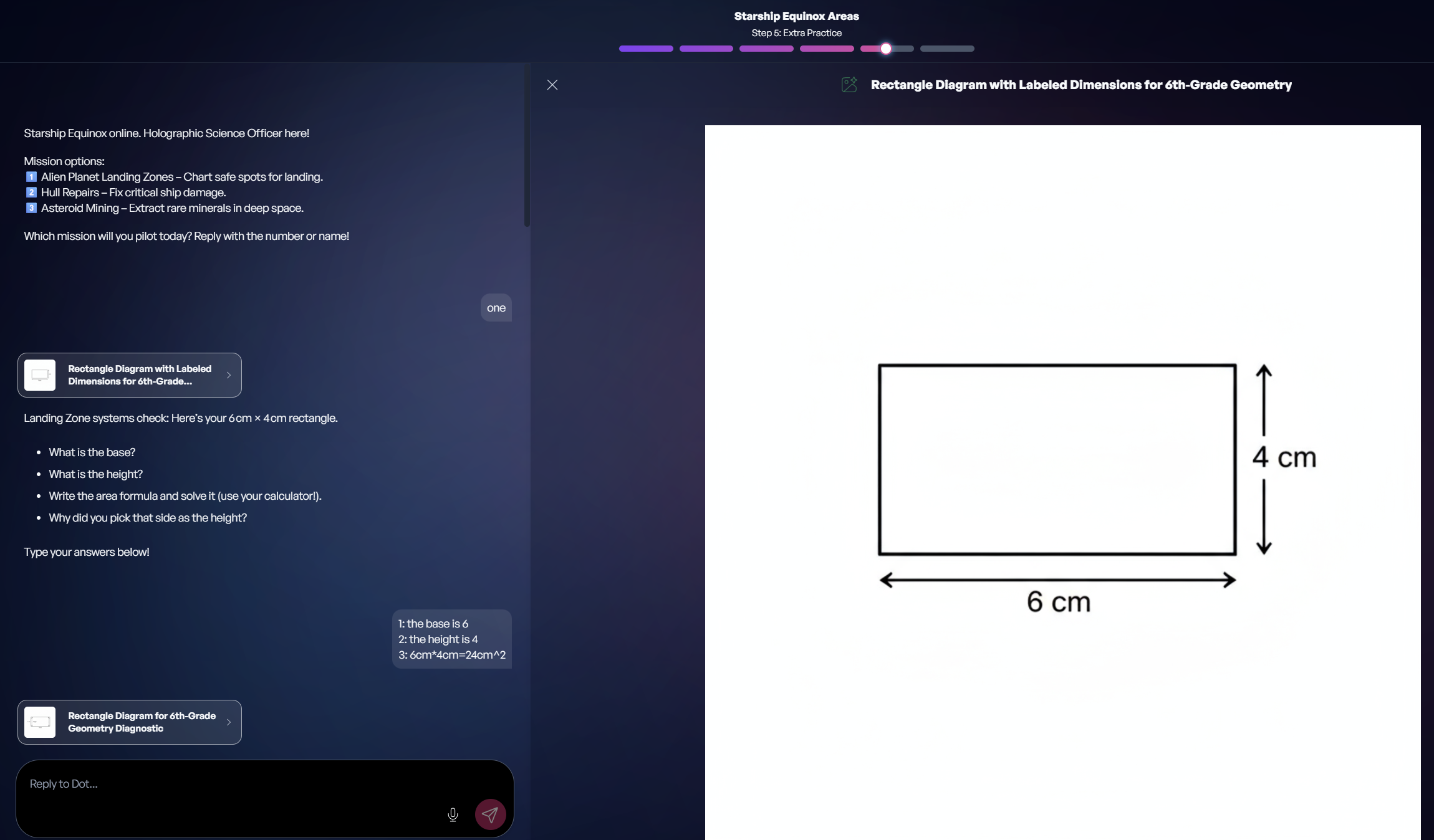
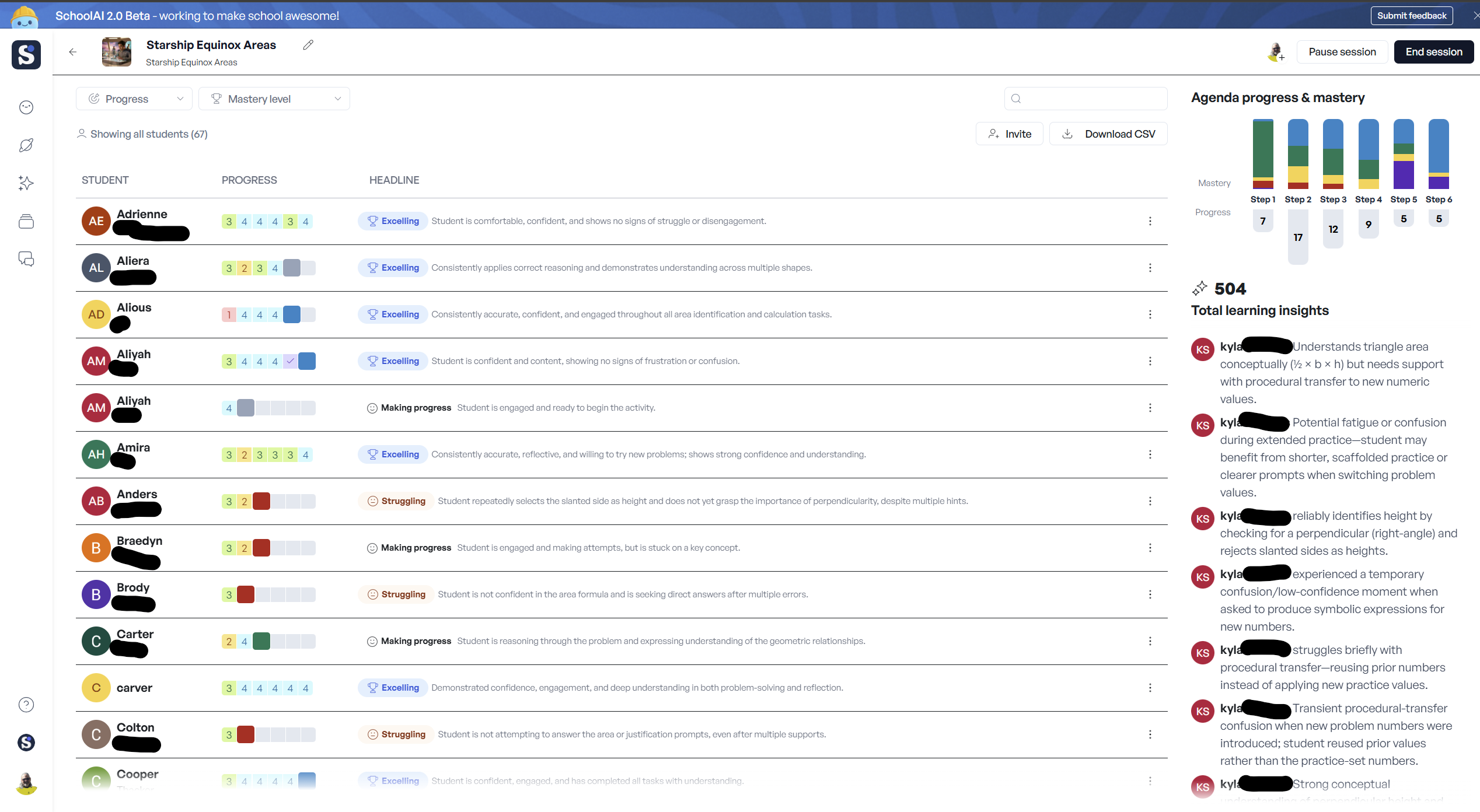
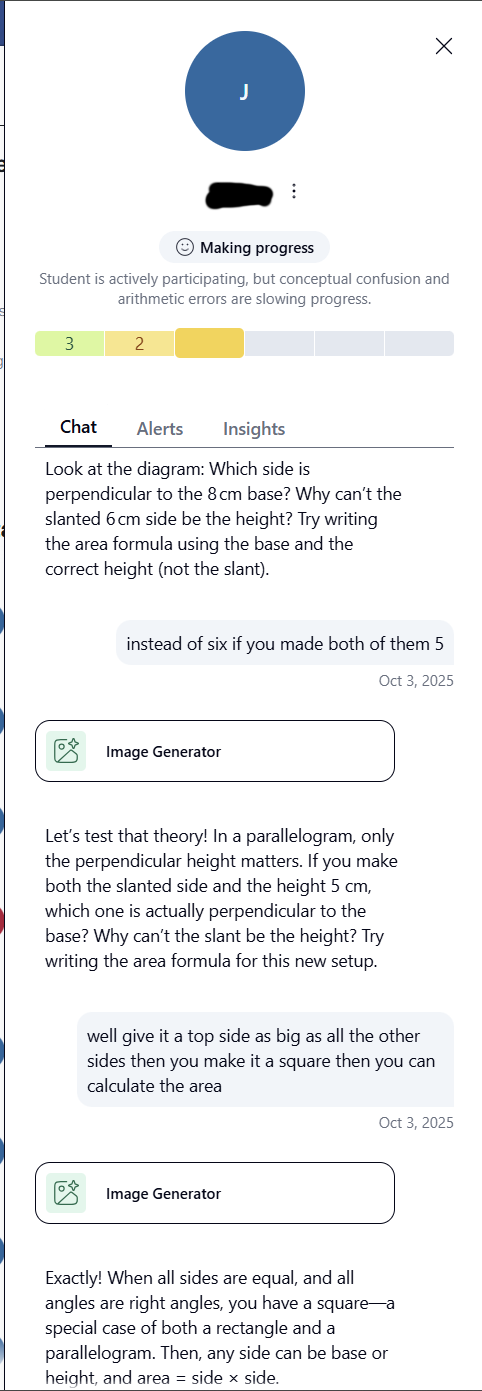
Due to being easier to navigate and access information in the School AI insights, plus the fact that I am more inclined to create game-like experiences in School AI, especially with Dot’s continuous prompting and providing more and more ideas, I use it exclusively for Science and am now considering it for Math as well. Magic School AI is still good for my Math unit support while so far, I use School AI for one-off experiences that have some game-like element to them. The fact that School AI’s beta is still ongoing, and it shows with some Spaces working just fine and others failing, sometimes miserably, it’s not ready yet for full-time use. I look forward to School AI’s 2.0 working more reliably and who knows, maybe it will finally become my chosen and preferred over Magic School AI. Just not yet.


